Fluid Background
Gorgeous animated mesh gradients powered by optimized calculations. Uses 0% CPU when static mode is enabled.
A lightweight, customizable, and non-invasive Windows desktop application that listens to MQTT topics and displays floating notifications with a beautiful fluid background.
Built with modern technologies to ensure customization, speed, and an amazing user experience.
Gorgeous animated mesh gradients powered by optimized calculations. Uses 0% CPU when static mode is enabled.
Change scale, transparency, corner radius, and theme (Dark/Light). Make it look exactly how you want.
Fully translated in English and Italian. Want another language? Just drop a JSON file in the locales folder!
Sits quietly in your system tray. Built-in auto-updater ensures you are always running the latest release.
Connect seamlessly with Home Assistant, Node-RED, or any custom MQTT broker on your local network.
Packaged with PyInstaller and InnoSetup installer for simple one-click installation on Windows.
A clean, unified UI designed to look beautiful on any wallpaper.
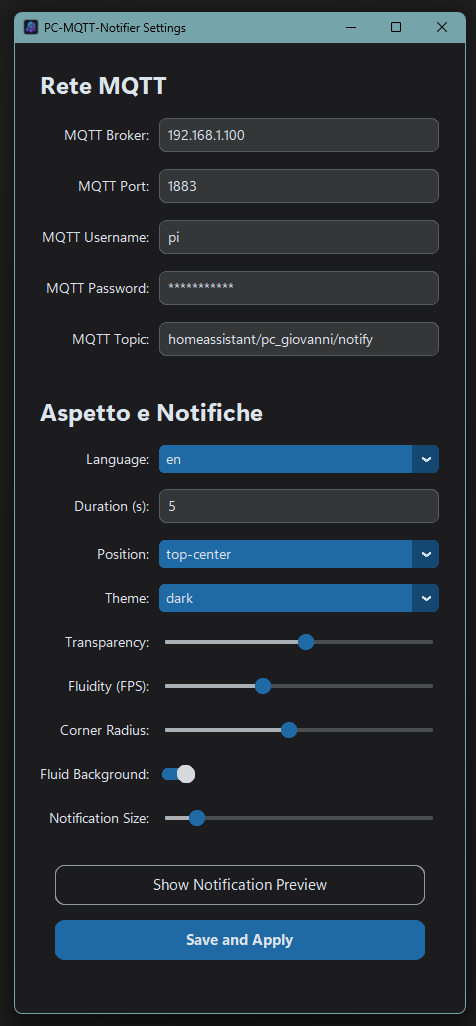
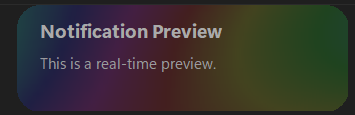

Run the pre-compiled installer or launch directly from Python source code.
Option 1: Pre-compiled Installer (.exe)
Download the latest release executable from GitHub and follow the setup wizard.
Option 2: Run from Source Code
# Clone repository
git clone https://github.com/giosci1994/PC-MQTT-Notifier.git
cd PC-MQTT-Notifier

# Install dependencies
pip install -r requirements.txt

# Launch application
python main.py