Light, sun and sky
The card computes light as three.js does today: colours in sRGB, light in linear space, lights in physical units (the model is in centimetres), with tone mapping that avoids burnt-out areas. The intensities are set to look like the original card at room distances.
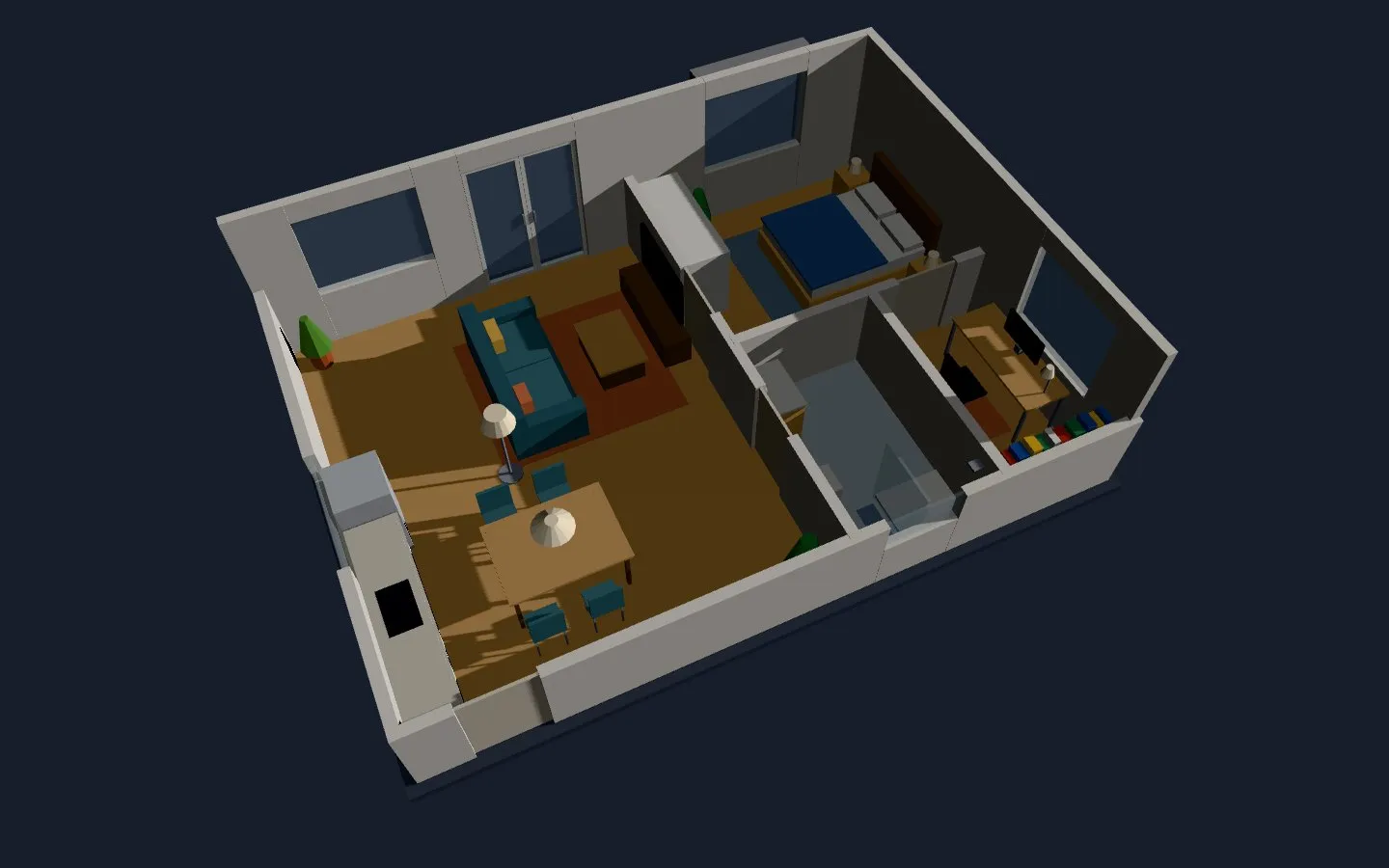 |
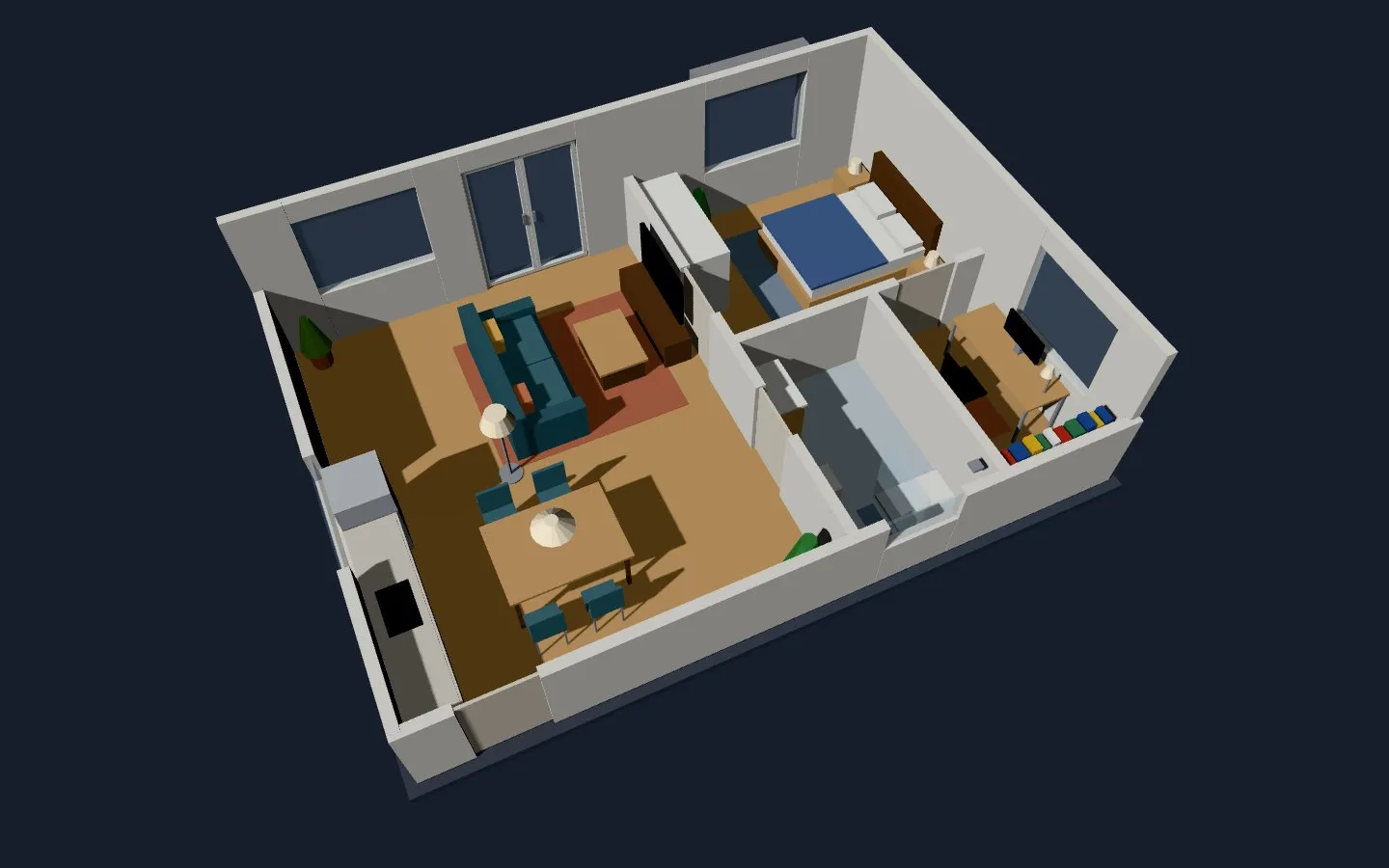 |
|---|---|
sun: yes in the morning (sun.sun azimuth 105°) |
The same model in the afternoon (azimuth 250°) |
| Option | Default | |
|---|---|---|
exposure |
1 |
The overall exposure. |
tone_mapping |
neutral |
neutral, agx, aces or linear. |
light_power |
1 |
Multiplies all the lamps (and the light of the TV screens). |
globalLightPower |
0.2 |
The light that follows the camera (a torch). A number or a numeric sensor. |
sun |
no |
yes: the sunlight of sun.sun (azimuth and elevation), with shadows. |
sun_entity |
sun.sun |
The sun entity. |
sun_power |
1 |
Multiplies the sunlight. A number or a numeric sensor. |
sun_roof |
none | The indoor floors: an invisible roof over them stops the sun from above. |
north |
{x: 0, z: -1} |
Where north points in the model: it orients the sun. |
sky_power |
0 (none) |
The light of the sky, from every direction and without shadows. A number or a numeric sensor. |
sky_color |
#e6eeff |
The colour of the sky light from above. |
ground_color |
#706458 |
The colour of the sky light from below. |
shadow |
no |
yes: the lamps and the sun can cast shadows. |
max_pixel_ratio |
2 |
The highest resolution, in pixels per CSS pixel (phones reach 3 or more); 1 with quality: low. |
The sun indoors
Section titled “The sun indoors”The sun shines through everything that doesn’t cast a shadow, and a model of Sweet Home 3D often has no ceilings: the sun of noon comes in from above. Two ways to stop it:
sun_roof: the list of the indoor floors. Over them, at the height of the walls, an invisible roof casts shadows for the sun only: the sun comes in through the windows and doors, and the lamps and the camera don’t see the roof.- A transparent box over the floor named
transparent_slab…, as with the ExportToHASS plugin: it casts the shadow of a ceiling. Or the ceilings of Sweet Home 3D.
sun: 'yes'shadow: 'yes'sun_roof: [room_1_101, room_2_102, room_3_103]north: { x: -1, z: 0 }Sun and sky from sensors
Section titled “Sun and sky from sensors”The sun follows sun.sun, so it shines at full strength under an overcast sky too: hard patches of sun and dark rooms, the opposite of a cloudy day. Two options take the weather into account:
sun_powercan be a numeric sensor: the direct light of the sun, which also makes the shadows. With clouds it goes toward 0, and the sun and its shadows fade.sky_poweradds the light of the sky, from above insky_colorand from below inground_color, which lights everything evenly and casts no shadows. It fills the shade the sun leaves, and under an overcast sky it is most of the light.
Both take a number or a sensor, read at every update. A sensor that is unavailable, or not a number, counts as the default (1 for the sun, 0 for the sky); a negative value counts as 0. With sun: yes the sky follows the day like the sun: off below -3° of elevation, full from 8°.
A typical setup reads the solar radiation, for example from Open-Meteo (direct_radiation and diffuse_radiation) through a REST sensor, and turns it into powers between 0 and 1. 800 W/m² of direct radiation and 300 W/m² of diffuse radiation give 1:
template: - sensor: - name: floor3d sun power state: "{{ [states('sensor.direct_radiation') | float(0) / 800, 1] | min }}" - name: floor3d sky power state: "{{ [states('sensor.diffuse_radiation') | float(0) / 300, 1] | min }}"sun: 'yes'sun_power: sensor.floor3d_sun_powersky_power: sensor.floor3d_sky_powerWith only the cloud cover of a weather entity, {{ 1 - state_attr('weather.home', 'cloud_coverage') | float(0) / 100 }} for the sun and a fixed sky_power (0.3, for example) already give a cloudy day its soft light.
Shadows
Section titled “Shadows”Shadows are drawn again only when something changes, and only for the lights that are on. The GPU can draw a limited number of them: see Shadows on the page of the lamps.