The camera and views
The initial view
Section titled “The initial view”camera_position, camera_target and camera_rotate set where the camera starts: where it is, the point it looks at, and its rotation. They are in the Camera and navigation section of the editor. To find them, move the camera where you want it in a dashboard in edit mode, and double click on an empty point of the model: the card shows the three of them, to copy into the YAML.
camera_position: { x: 609, y: 905, z: 1376 }camera_target: { x: 0, y: 0, z: 0 }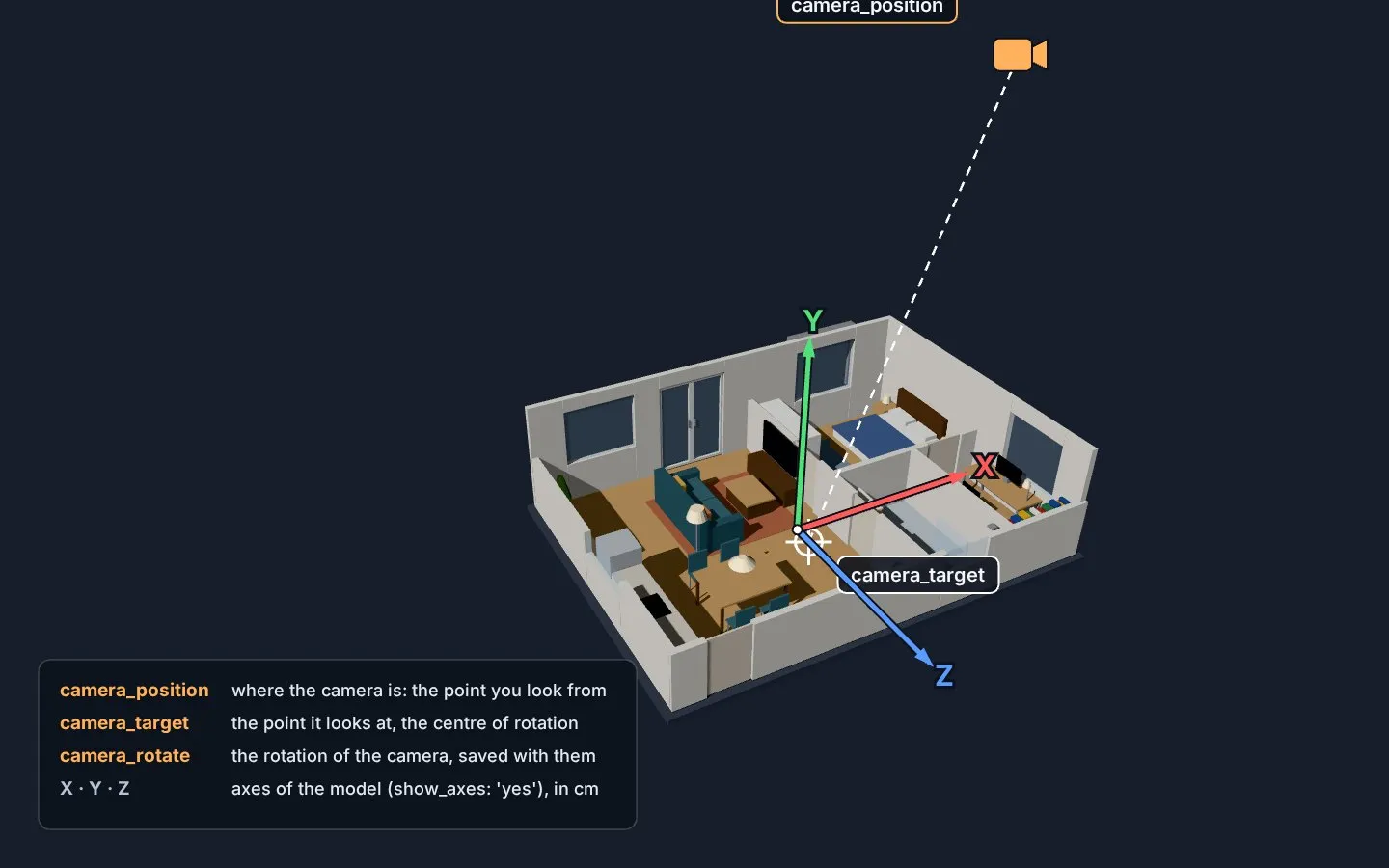
lock_camera: yes stops the zoom and the rotation of the camera.
zoom_areas are views of the model, in the Views menu at the top right: the camera flies there, and back to the initial view. hideZoomMenu: yes shows a row of buttons instead of the menu.
| Field | Default | |
|---|---|---|
zoom |
required | The name of the view. |
object_id |
The object the view looks at (a floor, a room). | |
distance |
500 |
How far the camera is from it, in cm. |
direction |
{x: 0, y: 1, z: 0} |
Where the camera is from it: from above by default. |
rotation |
The rotation of the camera. | |
camera_position, camera_target, camera_rotate |
Instead of an object: the camera as in the initial view. | |
level |
all the levels | The view shows only this level. |
In the editor, Use the current view fills the camera of a view from the preview.
Views from the page address
Section titled “Views from the page address”With url_parameters, a parameter of the page address picks the view, so any card can open it, a button for example:
url_parameters: zoom: area # the name of the parameter: ?area=...zoom_areas: - zoom: Kitchen object_id: Kitchen_floor distance: 400type: buttonname: Kitchentap_action: action: navigate navigation_path: /dashboard-home/0?area=kitchen- The value is compared with the names of the views without case, spaces,
_and-:kitchen,Kitchenandliving_roomfor “Living room” all work. - When the card opens with the parameter in the address, it starts on that view. Later the camera flies to the view when the parameter changes, also with the back button.
- A value that names no view leaves the camera where it is, with a warning in the browser console.
The idea and the syntax come from MephistoJB/floor3d-card.